
1
A real native iPadOS app
A real App Store app — opens fast, runs all show, prints straight to your Bluetooth or Wi-Fi label printer.
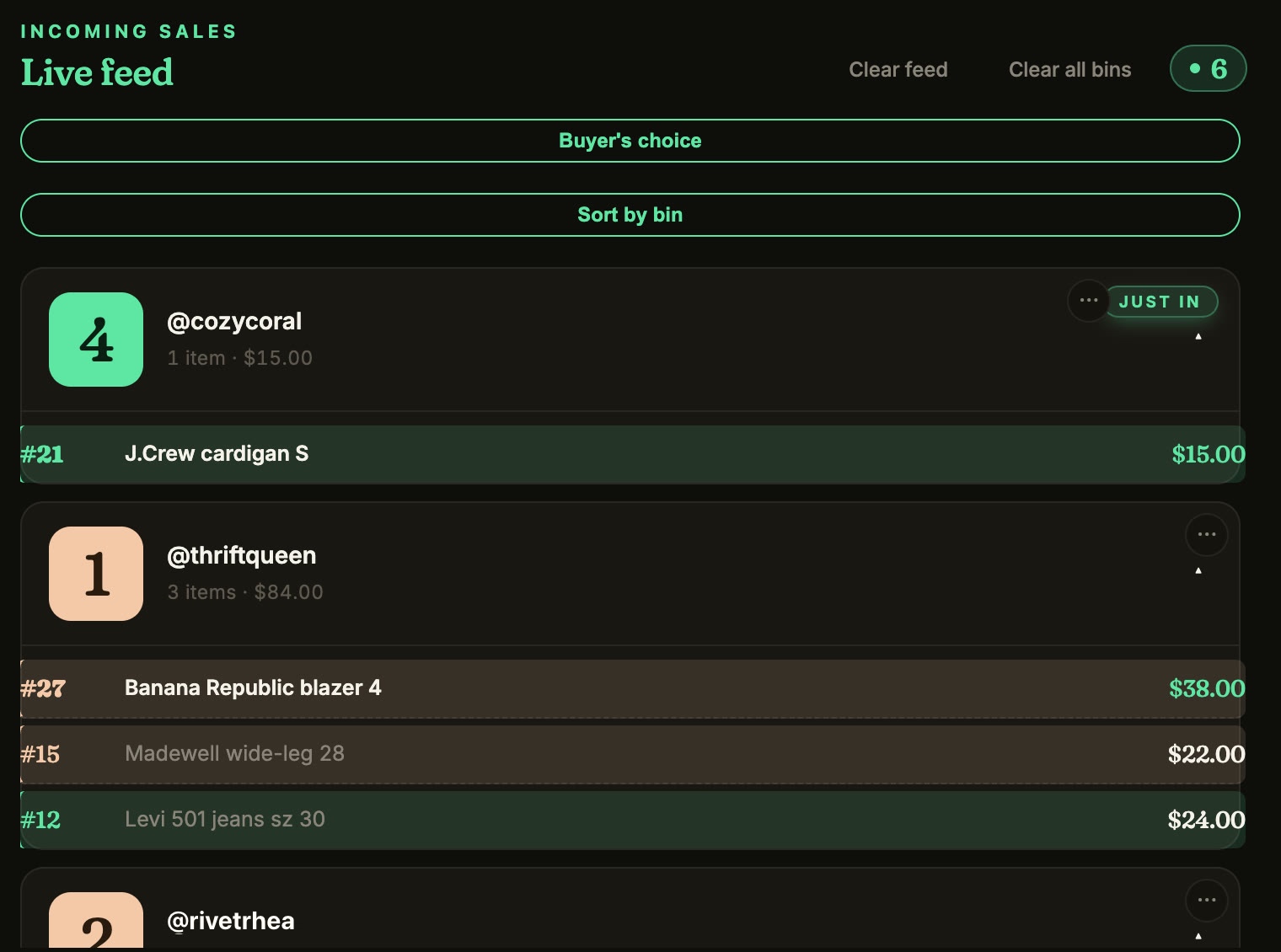
Backstage Live for Whatnot is a native iPad and iPhone app on the App Store. It runs on your iPad next to your Whatnot show and does the work while you sell: it keeps every sale by buyer name, gives each buyer a bin, and prints a label for every item the moment it sells, to a Bluetooth thermal printer or a Wi-Fi label printer (Brother QL, Rollo and other AirPrint label printers).
No computer and no Chrome needed. It's an app, not a browser extension. One login works on iPad, iPhone and our Chrome extension, and it comes with the Plus and Pro plans, free for 7 days.
The show's over and you're matching a pile of items to buyers from your video receipts — going through them for who won what, hours after you'd rather be done.
Consignment means redoing each consignor's cut in a spreadsheet, every week — then trading screenshots back and forth to settle up.
Building your show on Whatnot's form on a 6-inch screen, app-switching for every photo and title. By item 9 you've lost track.
You go live from your phone. Backstage handles the rest on your iPad — prep before, capture during, and the whole after-show.
The only Backstage that lives on the device already on your show stand — and runs the whole arc, prep to payout.
A real App Store app — opens fast, runs all show, prints straight to your Bluetooth or Wi-Fi label printer.
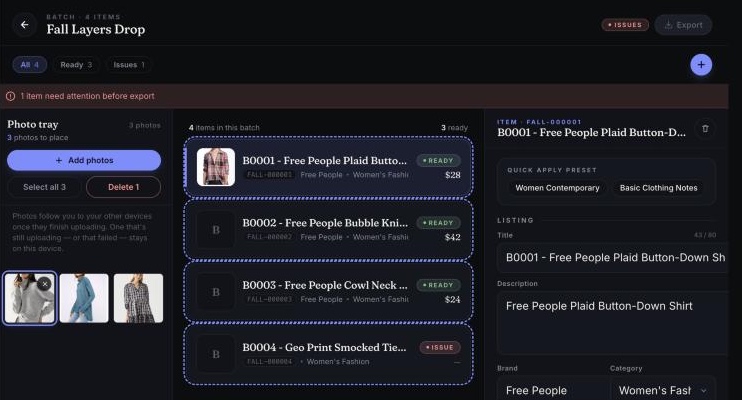
A full Whatnot listing builder inside the app: drag in photos, fill categories, bulk-edit, export the CSV — all before the show.
Open your live show in the app; Backstage rides along and catches every sale, giveaway, and raid the second it happens.
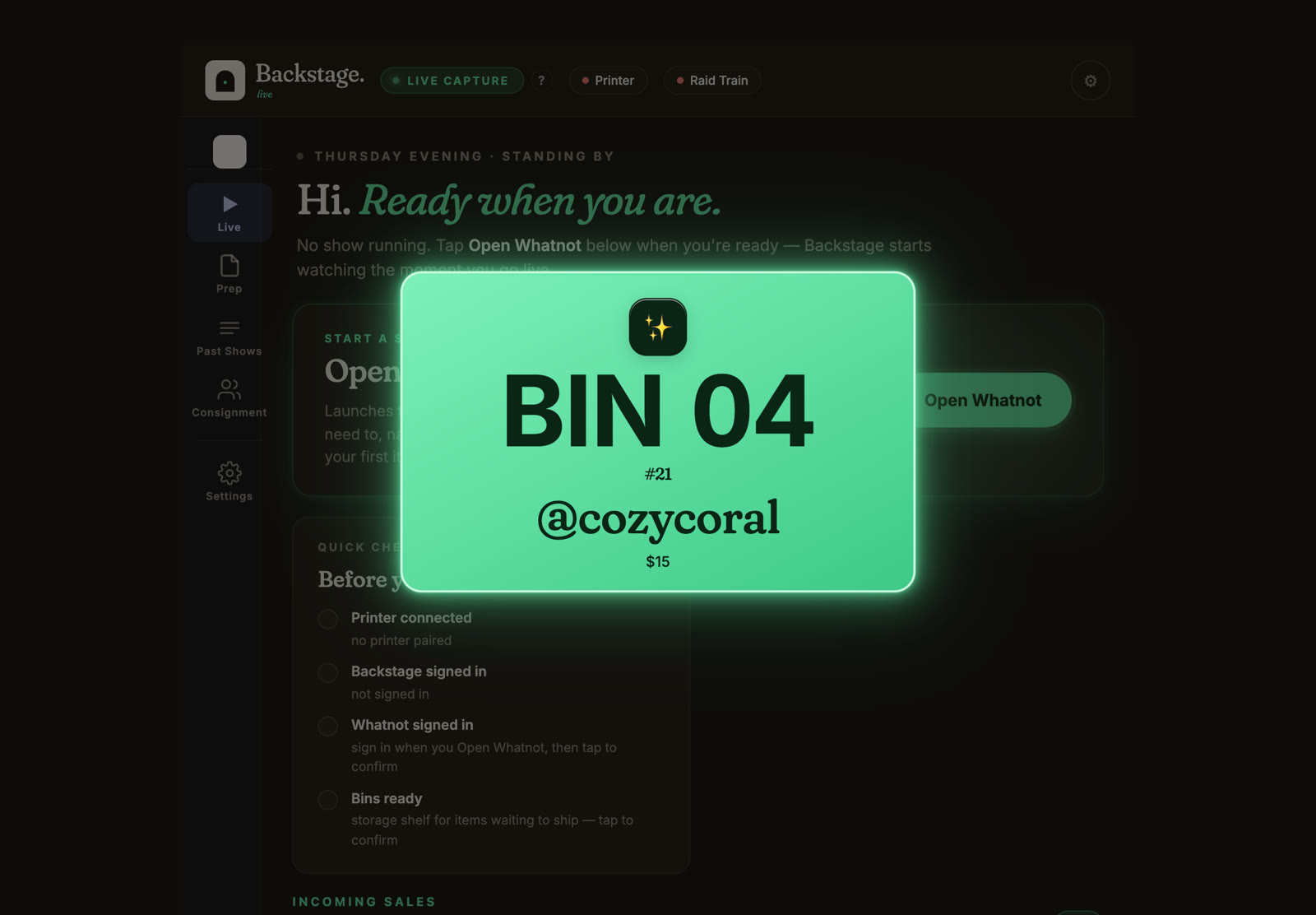
Turn on Auto-print labels and the bin label prints the instant a buyer wins — buyer, bin, item — over Bluetooth, or over Wi-Fi to a Brother QL or a Rollo or other AirPrint label printer. If the printer drops mid-show, your labels wait and print by themselves when it's back.
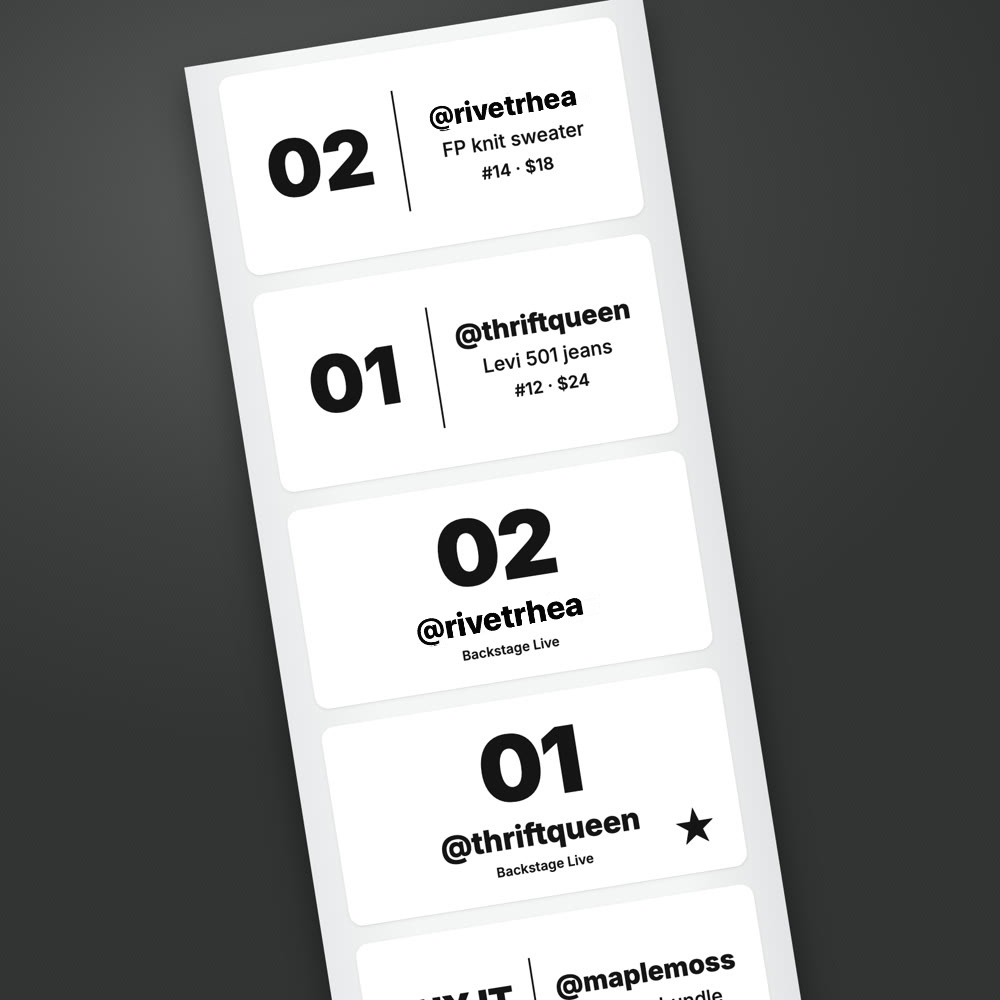
* Most thermal printers work; if yours doesn't, we'll ship a fix. The app also works without a printer.
Tag each item to a consignor; the split tracks itself, and you get per-consignor manifests + payout sheets after the show. Special terms let you pay a different split on pricier items.
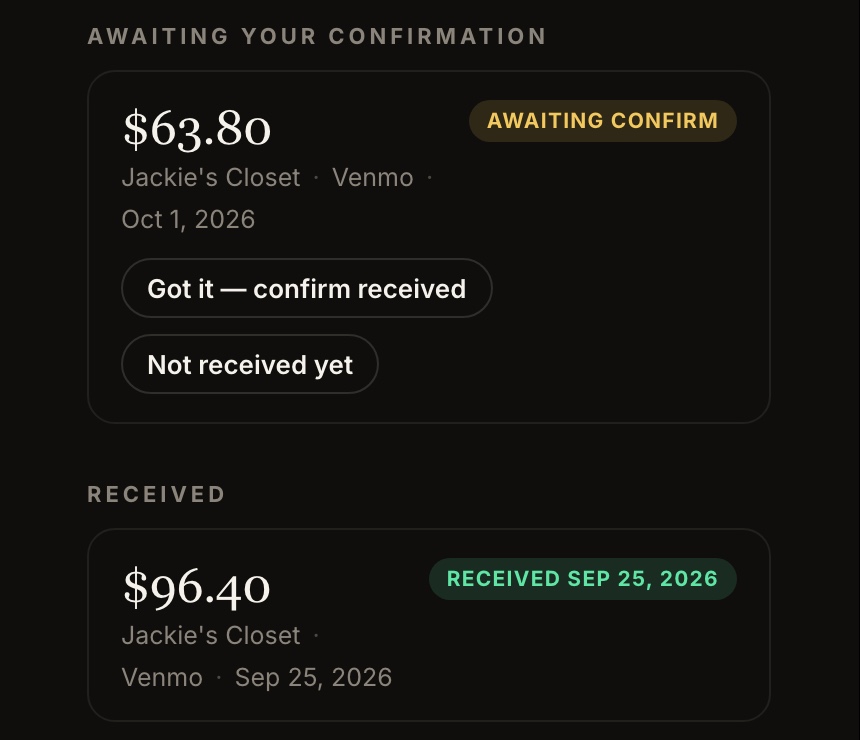
Send whoever's packing one link and your binner board opens right in their browser — nothing to install. Each buyer gets a bin, and every sale they win drops into that same bin in real time, with the item, size, and price. Your packer sorts and packs while the show is still live, so the moment you call “done,” one bin is one buyer's whole order, ready to box. No DMing lot numbers, no waiting on the manifest, no “wait, who got that?”
Turn on Consignment in the iPad app to tag each item to a consignor — Backstage tracks the split, builds per-consignor manifests and payout sheets, and gives your consignors a free web portal to watch their cut land live. See how Consignment works →
Included in Backstage Pro — $34/mo.
The iPad app comes with Plus and Pro. Start free for 7 days. Your founding rate is locked for life.
$24 /mo · founding
The native iPad / iPhone app, plus Backstage Live in your browser and Prep for bulk listing. Free for 7 days. Standard $29/mo after.
* Most thermal printers work; if yours doesn't, we'll ship a fix. The app also works without a printer. Download it free on the App Store.
Yes. Backstage Live for Whatnot is a native iPad and iPhone app on the App Store. It runs on your iPad next to your Whatnot show, keeps every sale by buyer name, puts each buyer in a bin, and prints a label for each item as it sells, to a Bluetooth thermal printer or a Wi-Fi label printer (Brother QL, Rollo and other AirPrint label printers). No computer or Chrome needed. It comes with the Plus and Pro plans, with a 7-day free trial.
Yes — Backstage Live for Whatnot is on the App Store. Download it, sign in with your email, and you're running. Subscribe inside the app or on the web, and your 7-day free trial starts that day. Cancel anytime before it ends and you pay nothing. Works on iPhone and iPad.
Any iPad running iPadOS 16 or newer will work. The app runs comfortably on older A-series iPads (iPad 8th gen and up), and flies on M1/M2 iPad Air and iPad Pro. The newer chip helps the most when you're scrolling a long Prep batch or rendering manifest PDFs — not when you're running the show.
Yes — turn on Auto-print labels and Backstage for iOS prints a label the moment a buyer wins — no laptop, no print server, all on the iPad. Over Bluetooth, it's built and tested on the Rongta RP425 and works with other Bluetooth thermal label printers. Since version 1.42 it can also print over Wi-Fi to Brother QL label printers and to Rollo and other AirPrint label printers (see the printer list). If the printer drops mid-show, your labels wait and print by themselves when it's back. If your printer isn't working yet (or you're not sure), message us and we'll look into it. The app also works fully without a printer — it makes an 8.5×11 PDF manifest you can print anywhere.
You turn on Consignment in your iPad app. For each consignor, you generate a time-limited pairing code from inside the app and send it to them. They open the free Backstage Consignor web portal in any browser, paste the code, and now they see what they've shipped you, what shows their items are scheduled for, what's sold, and what they're owed. They stop DMing you for status. You stay in control of the pairing — you can revoke a code any time.
Yes — they're complementary, not redundant, and the Plus plan includes both. Plenty of sellers run Backstage Live in Chrome on a backup laptop while the iPad is the primary capture device. One Backstage account works across both — once you're set up I can help you figure out the setup that fits your workflow.
Download it free from the App Store, sign in with your email, and go. Either way you subscribe you get a 7-day free trial, and you can cancel anytime before it ends.
Download on the App Store →Best price is on the web. The app is a free download. Subscribe inside it through Apple — or get it on the web with Plus, from $24/mo. Either way your 7-day free trial starts the day you subscribe. Same app, same account, lower price.
Want to see plans first? Plans & pricing. Got a comp or giveaway code? Redeem it here.